
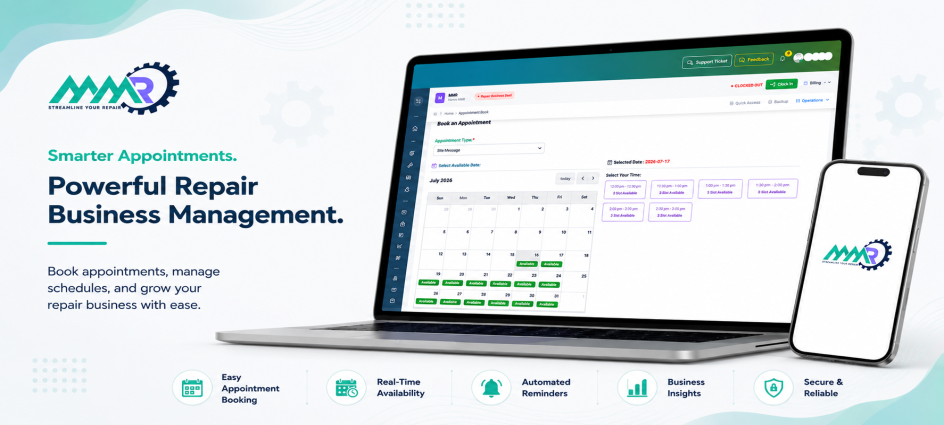
A CRM for repair shops is software that keeps track of every customer, device, or car, as well as every interaction between your shop and them, from the first phone call to the final invoice.
Did you know that approximately 45% of customers are dissatisfied with their service experience due to poor communication and unexpected fees, not faulty repair work? In 2026, the difference between a faltering shop and a thriving one is more than simply technical ability. It's how well you handle relationships.
This guide explains how to choose and deploy a CRM for repair shops that converts first-time visitors into loyal, recurring customers, as well as why more shop owners are moving to ManagemyRepair to achieve this.
What You Will Learn
Why CRMs fail in repair shops and what to use instead.
Learn about the 7 essential CRM features for repair businesses in 2026 and how ManagemyRepair delivers them.
Step-by-step implementation plan from Week 1 to Week 4.
Real-world examples from auto, electronics, and appliance stores.
Manage My Repair streamlines CRM and eliminates the learning curve.
What Is CRM for Repair Shops?
A CRM for repair shops is software that keeps track of every customer, device, or car, as well as every interaction between your shop and them, from the first phone call to the final invoice.
Most people associate "CRM" with sales tools such as Salesforce. However, client management at repair shops is handled differently. You aren't just tracking leads. You monitor devices, repair tickets, warranties, and long-term service partnerships. That's precisely the void Manage My Repair was designed to fill.
Consider your CRM to be your shop's memory. It remembers what each customer requires before they even ask, and with Manage My Repair, that memory is automatically built into every ticket.
The Repair Shop Difference: Vehicles, Tickets, Histories, Not Just Names
A generic CRM stores a name, phone number, and possibly a note. A specific CRM can store much more:
Inspect all vehicles, phones, and appliances brought in by customers.
Track service history across numerous visits.
Link repair ticketing system data to each job.
Check warranty status and parts utilized.
Past estimates, approvals, and denied work.
This context is important. A technician who notices that a customer denied a brake work six months ago can bring it up during the next visit. That is how you develop trust and revenue, and it is exactly the workflow that Manage My Repair was designed for.
2026 Reality Check: Communication Gaps Are Costing You Customers
The data backs this up. According to the 2025 Cox Automotive Service Industry Study, consumer discontent with service providers is mostly caused by unanticipated expenditures and poor communication, rather than the quality of the repair itself. The same survey discovered that independent repair businesses are progressively gaining market share from dealerships that fail to communicate with clients in between visits.
The lesson applies to all repair industries, including automotive, electronics, appliances, phones, bicycles, and HVAC. Shops that interact proactively retain customers. Shops that close quietly lose customers. Manage My Repair bridges that gap with built-in automated texts, emails, and status updates, ensuring that no customer is left wondering what's going on with their repairs.

Figure: Illustrative comparison based on typical repeat-visit patterns reported for shops that adopt automated reminders and follow-ups.
7 Must-Have CRM Features for Repair Shops in 2026
Not all CRMs are designed for repair work. Here's what important when comparing repair shop CRM software and how Manage My Repair performs on each right out of the box.
1. Device/Vehicle-Centric Customer Profiles
Every customer profile should link directly to their car, phone, laptop, or HVAC unit, not just their contact details. This makes how to manage repair shop customers simple: one click shows you everything about that customer's equipment. In Manage My Repair, every profile is built around the device or vehicle first, so your team never has to dig through notes to find the history.
2. Automated Service Reminders & Follow-Ups
Automated follow-ups for oil changes, screen warranties, and yearly HVAC tune-ups keep clients coming back without you having to do anything. This is one of the most effective repair shop customer retention software ROIs, and it is a core feature in Manage My Repair, ready to use from the start with no setup scripts required.
3. Digital Estimates + One-Click Customer Approval
Customers may accept repair estimates and invoices with their phones in seconds. No more playing phone tag or waiting around the shop for a signature. Manage My Repair provides estimates by SMS or email and automatically logs approvals to the ticket.
4. Two-Way SMS & Email Communication Logs
Every text and email is saved in one location. The entire interaction is visible to technicians and front-desk staff, ensuring that nothing falls through the cracks. This is proper customer communication automation, and it is exactly how Manage My Repair's messaging center operates.
5. Repair History & Warranty Tracking
A complete record of previous repairs, parts, and warranty terms protects your shop while also increasing consumer confidence. Manage My Repair permanently attaches this information to each customer and device, ensuring that it is available the instant they return.
6. Technician Workflow + Task Assignment
Good repair workflow management connects your CRM to the shop floor, allocating jobs, tracking status, and automatically updating customers as work progresses. Manage My Repair's ticketing and CRM systems are integrated, so any status change on the shop floor prompts an instant customer update.
7. Reporting: Retention Rates, Declined Work, Revenue per Customer
You cannot improve what you do not measure. Look for dashboards that display return visit rates, denied work follow-up chances, and average revenue per customer. Manage My Repair contains these reports by default, so you don't need to use a separate analytics tool to see what works.
Want to see these features on your own customer data? Book a free demo and we'll walk through your shop's setup live.
How to Choose the Right CRM for Your Business Repair
If you're asking, "do I need CRM for my repair shop?" the honest answer is yes, unless you enjoy losing track of customers on sticky notes. Here's how to pick the right one.
Step 1: Audit Your Current Process
Do you use spreadsheets? A paper notebook? A whiteboard? Make a list of all the current locations where client information is stored. This audit demonstrates exactly what a cloud-based repair CRM should replace, and it is also the first item our staff discusses with you during onboarding.
Step 2: List Your Non-Negotiables
Before comparing vendors, decide what is most important:
Monthly budget.
Integrations with billing, inventory, and calendar applications.
Provide mobile access for technicians on the shop floor.
Support for specific repair types (e.g., auto, electronics, appliances).
Most shops appear on the same list. This is why Manage My Repair was designed to cover all four from the start, rather than charging for add-ons.
Step 3: Test Drive Top 3 Options
Use free trials and live demos. The best CRM for repair business operations is the one your team wants to use, not the one with the longest feature list. If ManagemyRepair is on your shortlist, book a free demo and try it against your actual workflow before you decide.
Step 4: Check Reviews from Similar Shops
Read reviews from stores like yours. A tool designed for auto dealerships may not fit at an electronics repair counter. Capterra and other review platforms provide side-by-side comparisons that are worth checking out before making a decision.
Implementing Your CRM: A 4-Week Roadmap
Implementing a new system does not have to disrupt your business. Follow the chronology. Shops who use Manage My Repair often complete the process faster because setup takes less than an hour and support is provided at every stage.
Week 1: Data Migration & Team Training
Move existing customer records to the new system. Walk your front desk and technicians through the essentials, such as logins, ticket creation, and where customer history is stored. Manage My Repair's team handles the data imported for you, so this process typically takes one afternoon.
Week 2: Set Up Automations
Set up automated service reminders, review requests, and follow-ups for denied work. This is where most of your long-term retention benefits come from. These automations have already been implemented into Manage My Repair. You are merely turning them on for your shop.
Week 3: Integrate with Billing, Inventory, and Calendar
Connect your CRM to the tools you already use to consolidate estimates, invoices, and scheduling into a single system rather than three. Because Manage My Repair natively integrates CRM, ticketing, inventory, and billing, most businesses skip this step entirely.
Week 4: Go Live + Monitor First 30 Days
Launch fully, then track your key numbers: repeat visits, response times, and review volume. Adjust automations based on what you see. Manage My Repair's built-in reporting shows you this data live, with no export or spreadsheet work needed.
Real-World Examples: CRM Success Stories by Repair Type
Auto Repair Shop: More Repeat Visits
An independent auto shop that added automated service reminders and digital estimate approval saw a meaningful jump in repeat visits within two quarters, largely by re-engaging customers who had previously declined recommended work. This is the exact case Manage My Repair's declined-work follow-up automation was built for.
Phone Repair Store: Faster Turnaround with Automated Updates
A phone repair counter cut customer wait-time complaints significantly after switching from manual phone calls to automatic text updates at each stage of the repair ticket, the same status-update flow built into Manage My Repair's ticketing system.
Appliance Service Business: More Upsells via Service History Insights
An appliance repair company used service history data to identify customers whose units were approaching common failure points, generating a steady stream of proactive repeat bookings. Manage My Repair surfaces these opportunities automatically through its service history reporting.
Common Mistakes to Avoid When Implementing Repair Shop CRM
Choosing Generic CRM Without Customization
Tools like Salesforce or HubSpot are powerful, but they're built for sales pipelines, not repair tickets. Without heavy customization, they miss the vehicle- and device-centric data repair shops need. Manage My Repair skips this problem entirely because it was built for repair shops from day one, not adapted from a sales tool.
Skipping Team Training
"They'll figure it out" is how CRMs end up half-used. Block real training time in Week 1, not just a quick walkthrough. Manage My Repair includes onboarding support with your setup, so your team starts with real guidance instead of guesswork.
Ignoring Mobile Experience for Technicians
If your techs can't update a ticket from the shop floor, the CRM becomes a front-desk-only tool, and you lose most of its value. Manage My Repair is fully usable from a phone or tablet, so technicians can update tickets and see customer history without walking back to a desk.
Not Setting Up Automations
A CRM without automated reminders and follow-ups is just an expensive filing cabinet. The automations are where the retention gains happen. Manage My Repair ships with these automations pre-configured, so shops don't lose the first few months figuring out how to build them.
Why Manage My Repair Stands Out for Repair Shops
Plenty of tools compete in this space. Tekmetric, AutoLeap, and Shopmonkey all serve parts of the repair industry well, particularly in the auto vertical. Manage My Repair takes a broader approach, and for many independent shops, it's the more practical choice.
Built Specifically for Multi-Vertical Repair Businesses
Whether you run an auto shop, an electronics counter, an appliance service business, a bike shop, or an HVAC company, Manage My Repair adapts to your repair type instead of forcing you into an auto-only workflow. If your shop handles more than one repair category, this is often the deciding factor.
All-in-One: CRM + Ticketing + Inventory + Invoicing
Instead of stitching together separate tools for customer management, ticketing, and billing, everything lives in one repair shop management system with CRM built in from the start. That means one login, one monthly bill, and no integration headaches. Explore the full toolset on our feature section.
No Coding, No Consultants: Ready in Under an Hour
Most shops are up and running the same day, with no developer or paid consultant required. Compare that to enterprise CRMs that can take weeks to configure, and it's clear why so many small shops choose Manage My Repair first.
Affordable Pricing for Small Shops
Plans are being implemented for independent and small-team shops, not enterprise chains. See current plans and what's included, and know that support is included at every tier, not sold as a costly add-on.
If you've read this far, you already know what a good CRM should do for your shop. The fastest way to find out if Manage My Repair is the right fit is to see it running on your own workflow. Book a free demo or see our Pricing to get started.
Frequently Asked Questions
What is the best CRM for a small repair shop?
The best solution is determined by your type and budget; however, for small, multi-service shops, a repair-specific CRM that integrates ticketing, customer history, and automatic follow-ups in one system, such as Manage My Repair, often outperforms a generic sales CRM.
How much does a good repair shop CRM cost?
Pricing varies greatly, ranging from free basic tools to business systems that cost hundreds each month. Manage My Repair's plans are designed exclusively for independent and small-team shops, so you receive full CRM, ticketing, and invoicing without paying enterprise fees.
Can I migrate my existing customer data easily?
Yes, Manage My Repair may import spreadsheets or outputs from your present system, and the team can handle migration for you during setup, so you don't have to do it alone.
Do I need IT skills to set up CRM?
No. Manage My Repair is designed for shop owners, not developers. Setup typically takes under an hour with no coding or outside consultants needed.
Will CRM really increase my repeat customers?
Yes, when automations are enabled. Automated reminders, follow-ups on denied work, and continuous communication have all been shown to increase return visits and customer retention, and they are already included in Manage My Repair.
What if my shop handles multiple repair types, like auto and electronics?
Look for a CRM designed for multiple-vertical repair firms. Manage My Repair was designed specifically for this purpose, allowing you to track several device or vehicle types under a single system rather than confining you to an auto-only or electronics-only framework.
Is cloud-based CRM secure for customer data?
Reputable cloud-based repair CRMs protect customer contact information, service history, and payment details using encrypted storage and secure logins, comparable to banking and healthcare software standards. Manage My Repair uses the same security measures to protect your customers' information.
Ready to Transform Your Repair Shop's Customer Relationships?
A CRM won't fix a bad repair. But it will make sure every good repair turns into a repeat customer, and Manage My Repair makes that happen without adding work to your day.
Book Your Free Demo of Manage My Repair Today and see how the right CRM can boost your retention within 90 days. Schedule your demo.
Sources:
https://www.jdpower.com/business/press-releases/2025-us-customer-service-index-csi-study
https://www.jdpower.com/business/press-releases/2025-us-aftermarket-service-index-asi-study
https://www.salesforce.com/eu/resources/research-reports/state-of-the-connected-customer-sa/
Disclaimer: This article is intended for informational and educational purposes only. The information, statistics, and industry insights presented are based on referenced sources and should be independently verified before being relied upon. Product features, pricing, integrations, and service availability may change over time. Any examples of business outcomes are illustrative and do not guarantee similar results. Readers should evaluate their specific business needs and verify product details directly with Manage My Repair before making purchasing decisions.
 Previous Blog
Why Repair Shops Lose Customers After the First Inquiry
Next Blog
How to Create a Repair Work Order That Prevents Mistakes and Customer Disputes
Previous Blog
Why Repair Shops Lose Customers After the First Inquiry
Next Blog
How to Create a Repair Work Order That Prevents Mistakes and Customer Disputes


0 Comments on “CRM for Repair Shops: The Ultimate 2026 How-To Guide to Boost Retention & Revenue”